

BPI Bit Webduino And Arduino Board with EPS32 For STEAM Education
$26.08
- Brand: Banana PI
- Product Code: bpi-bit-board
- Availability: In Stock
- Ex Tax: $26.08
-
- 2 or more $24.14
- 4 or more $22.65
BPI Bit for Arduino
About BPI: Bit
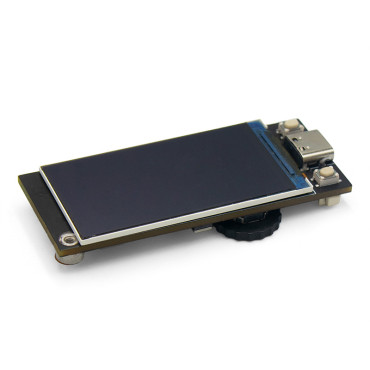
This product adopts the esp-room-32 module as the core for design and supports wi-fi, Bluetooth, BLE, and other wireless communication modes.
The BPI bit (also referred to as BPI-bit, stylized as bpi: bit) is an ESP32 with a 32-bit Xtensa LX6 dual-core processor-based embedded system. It supports Webduino, Arduino, MicroPython as well as Scratch X programming environments.
BPI:bit for Arduino-IDE
Installation Instructions
You can get more information about Arduino-esp32 from this page:https://github.com/espressif/arduino-esp32
Wired connection board
Connect the boards to your computer via the MicroUSB wire, it is the same as BPI: bit with microPython.
please see these documents Wired connection board
Installation instructions using Arduino IDE Boards Manager
Using Arduino IDE Boards Manager (preferred)
- Stable release link: https://raw.githubusercontent.com/espressif/arduino-esp32/gh-pages/package_esp32_index.json
- Development release link: https://raw.githubusercontent.com/espressif/arduino-esp32/gh-pages/package_esp32_dev_index.json
Starting with 1.6.4, Arduino allows the installation of third-party platform packages using Boards Manager. We have packages available for Windows, Mac OS, and Linux (32, 64-bit, and ARM).
Install the current upstream Arduino IDE at the 1.8 level or later. The current version is on the Arduino website. Start Arduino and open the Preferences window. Enter one of the release links above into the Additional Board Manager URLs field. You can add multiple URLs, separating them with commas. Open Boards Manager from Tools > Board menu and install esp32 platform (and don't forget to select your ESP32 board from Tools > Board menu after installation).