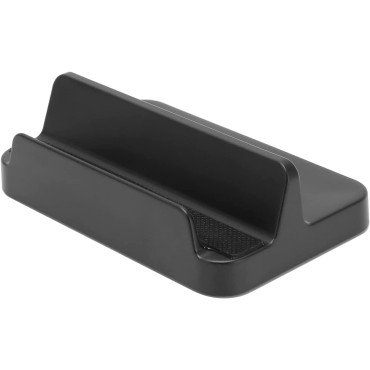


MAYFLASH W010 Wireless Sensor Dolphinbar for PC USB Wii remote adapter used on PC Windows
$30.00
- Brand: Mayflash
- Product Code: dolphinbar
- Availability: In Stock
- Ex Tax: $30.00
-
- 2 or more $28.50
- 4 or more $0.00
MAYFLASH W010 Wireless Sensor Dolphinbar for PC USB Wii remote adapter used on PC Windows
About this item
Wireless sensor dolphin bar can connect your Wii remote plus controller to your PC by Bluetooth.
Supports cursor anti-shake function, works as a normal keyboard and mouse
Allows you to play more quickly and precisely with your game controller, light gun, or racing wheel
Works as a PC remote controller, you can return or skip to the beginning
Supports GC controller by using may flash GC controller adapter for Wii/Wii U
Product Description
Features:
1. Connect your Wii Remote to your PC by Bluetooth.
2. Compatible with Nintendo Wii Remote, Nunchuk Controller, and Wii Classic Controller.
3. Supports four working modes: Keyboard and Mouse Mode (LED1), Keyboard and Mouse Game Mode(LED2), Game Controller Mode (LED3), and Wii Remote Controller Emulator Mode (LED4).
4. Easy and simple operation, no need extra Bluetooth dongle.
5. Supports Cursor Anti-Shake function.
6. It allows you to play more quickly and precisely with your Game Controller, Light Gun, or Racing Wheel.
7. Works as a PC Remote Controller. You can return or skip to the beginning of the current, previous, or next chapter, and supports Fast reverse, Fast forward, Pause playing, etc
8. Works as a Game Light Gun. You can play all kinds of PC Shooting Games. PC or Wii Light Gun is well supported.
9. Supports the G-sensor function that is the best choice for the Racing Games.
10. Supports the Vibration Feedback.
11. Compatible with the newest Wii Emulator Dolphin.
12. Supports up to 4 of the Wii Remote Controllers.
Wireless Sensor DolphinBar Wiimote to PC USB Adapter
1. SYNC Button and LED 0
Used for pairing the Dolphin bar and your controllers.
2. MODE Button and LED 1, 2, 3, 4
Switch to four different modes, Keyboard and Mouse Mode (LED1), Keyboard and Mouse Game Mode (LED2), Game Controller Mode (LED3), and WiiRemote Controller Emulator Mode (LED4) by pressing the MODE button on the DolphinBar.
3. See more details about LED Indicators 0, 1, 2, 3, and 4 in the user manual.
Wireless Sensor DolphinBar Wiimote to PC USB Adapter
High sensitivity!
Enjoy the distraction-free gaming experience with no lag!
Supports Four Controllers
Supports up to 4 of the Wii Remotes at the same time!
Enjoy your party with your friends!
Plug and Play
- It's a perfect choice for you to exercise and relax after hard work or studying for a long time.
- Update to the latest firmware at MAYFLASH.COM